

One of the cool things about writing for MusicPlayers.com is getting a front-row seat to new products and emerging technologies. In 2005, Modartt was a pioneer with their release of Pianoteq, a plug-in (and standalone product) that used physical modelling to create a virtual acoustic piano. We liked it back then, and loved the small storage and CPU footprints required, but recognized that while highly usable, it didn’t sound quite as robust as the biggest sampled piano products of the day. With each iteration, though, the modeling technology made great strides, and we found no real faults sound-wise in our 2015 review of Pianoteq 5. However, we still remained faithfully committed to our huge, sampled piano plug-ins.
Fast forward to the present and the newly released Pianoteq 9 (we tested version 9.0.2). The modelling engine has evolved once again, and the multiple pianos sound truly fantastic for use across a variety of styles. There are some new features and new sounds as well, but at its core, this remains a modeled piano instrument. We’re happy to report that the piano sounds are now so convincing that some of us at MusicPlayers.com have made Pianoteq 9 our go-to piano virtual instrument.
| Category | Value | Rating |
| Features | 20% |  |
| Usability | 25% |  |
| Sound | 25% | |
| Documentation & Support | 10% |  |
| Price | 20% |  |
| OVERALL RATING = 3.8 Stars, which earns it a WIHO Award! 3.6 stars or better: Outstanding, WIHO Award 3 stars or better: Worth considering 2 stars or better: Suited to specific needs 1 star or less: Not recommended |
||
First the basics. It’s wonderful to work with a modeled piano instead of massive sample libraries. Pianoteq only needs 50 MB of drive space! We tested on both Mac and Windows platforms (it also supports Linux and iOS), and it worked equally well. System requirements are also much lower than for a sampled piano, so just for kicks, we installed it on a hot-rodded 2017 MacBook Air (SSD had been upgraded and memory had been custom upgraded to 16gb, thanks to hardware wizard legend Dosdude). In limited testing, it ran perfectly fine! Interestingly, for those techies out there, you can actually install Pianoteq on a Raspberry Pi too! One license gives you access to all platforms, but you have a maximum of six installations (and if you need more, you can de-authorize an old one).
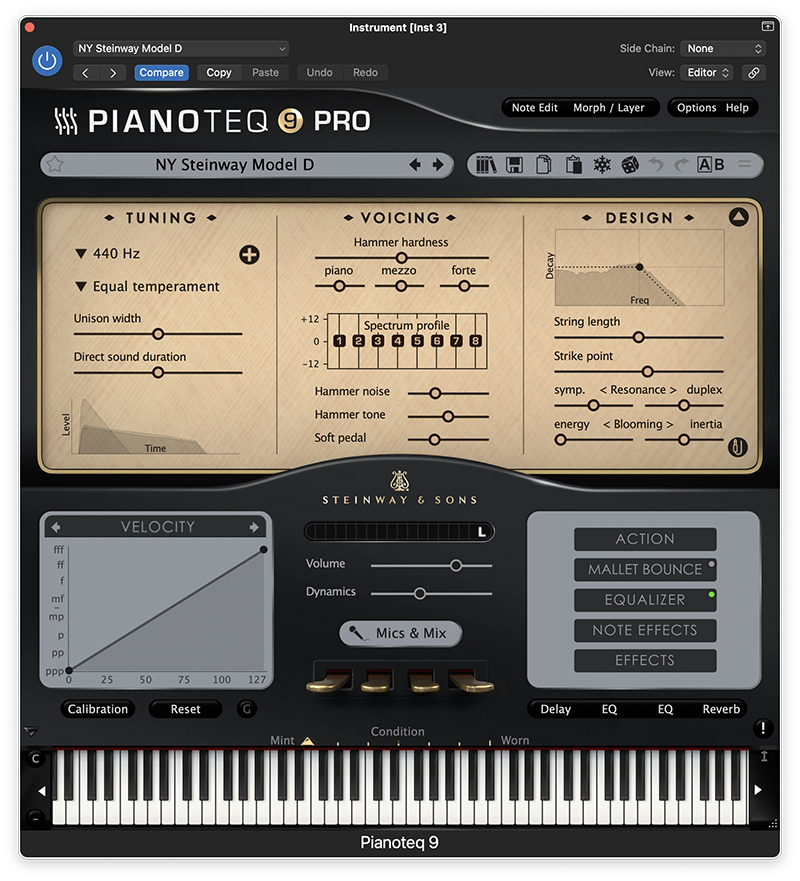
The new Pianoteq 9 sound engine incorporates an improved model of the soundboard vibration, which delivers a noticeable improvement in the warmth and fullness of the sound. It was noticeably more organic and lifelike sounding. And while many products become bloated with new features that make them increasingly more difficult to master in subsequent releases, Pianoteq retains its remarkably user-friendly interface that will have you playing and tweaking various sounds in a minute without any need to review the documentation.
Another big update is that up to eight microphones can now be used in the updated Mics & Mix panel. These can be placed anywhere around the piano, and there is a graphical top and front view to show where your placement is. You have 21 mic selections, so there’s a great deal of flexibility between number of mics, placement, and type of mic. And yes, you can even place a mic underneath the piano (we tried it!).
While Pianoteq comes in different versions containing a different number of additional sound packs (more on this later), these sound packs have been updated as well. Pianoteq has long been able to do more than just acoustic pianos, and sound packs include electromechanical pianos, historic instruments, bells, vibes, even classical guitar (which was introduced in version 8). A new Italian Harp has been added in the Harp pack, and the other harps have been upgraded to take advantage of the new rendering engine as well.
Additional presets have been added across multiple sound packs, and one of them is the Sombre preset, which gives a mellower, more restrained sound. This has been added to all the Grand Pianos (and there’s quite a selection of those, including Steinway, Bosendoerfer, Yamaha, Beckstein, Shigeru Kawai, Bluthner, among others), and for those looking for an emotive piano, this preset would work quite well.
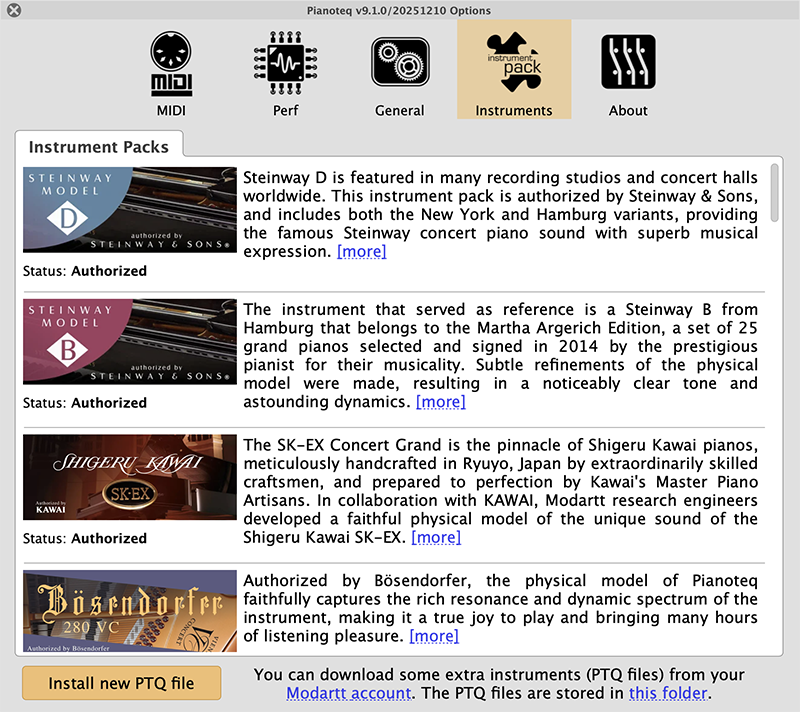
We love the detailed information provided about the modeled pianos.
New with the most recent update to Pianoteq 9 is the addition of the Syngular instrument pack, which adds a unique synthesis sound engine to the software. Utilizing parameters that are typically constrained to adjust piano models, Syngular creates new and unique sounds by manipulating the piano modeling engine in new and unintended ways, deliberately. It provides a wide variety of sounds ranging from spacey pads to bell-like timbres, and they work nicely as additional layers when blended with acoustic piano models.
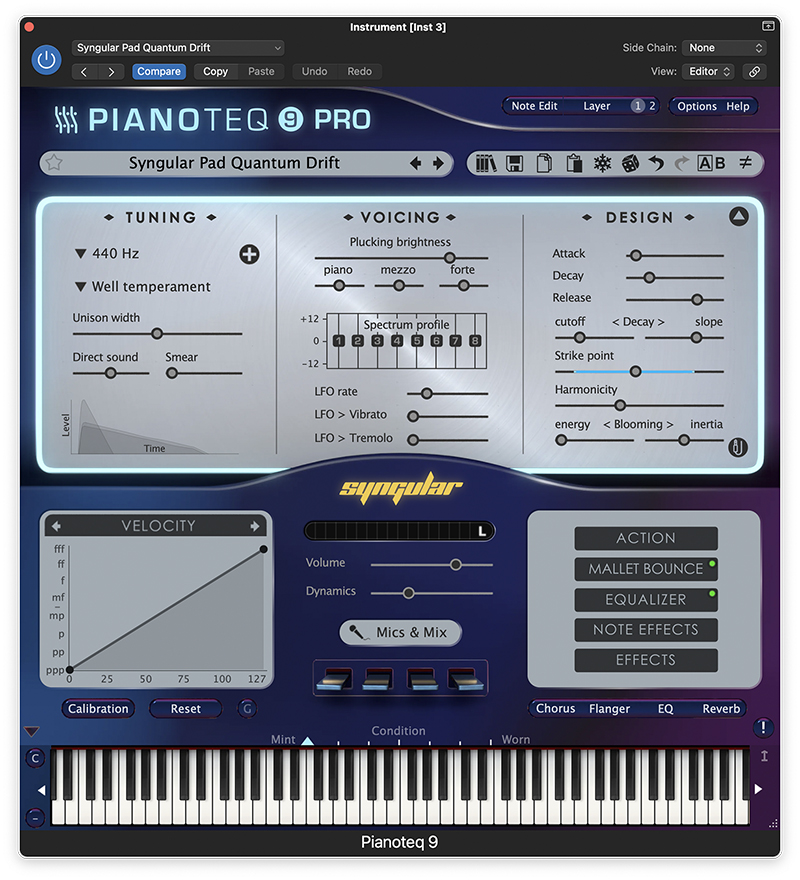
But most importantly, how do the new pianos sound? Several editors tried out Pianoteq 9, and we all thought the same thing: Wow! While huge multi-sampled libraries have long been considered the best at delivering the most authentic acoustic piano sounds outside of shiny black behemoths that weigh over 600 pounds and take up most of your living room, that is no longer the case. Pianoteq absolutely sounds like fabulous acoustic pianos, with more subtlety and detail than multi layers and split points can provide.
The various pianos each have their own character, and sound very lively and warm. While we tend to gravitate towards Steinway, especially the German version that has a little bit of a darker tone, we also liked the sound of the Kawai pianos, which had a brighter tone that might cut through a mix better in certain situations, and the Yamaha models put us in a familiar happy place as well. Earlier modelling engines didn’t compel us to ditch our other virtual pianos, sounding either thin or only convincing in the middle registers, not doing lows or highs as well, but that is not the case here! These pianos sound great across the entire 88-note key range.
The ability to edit on a per-note basis (Pro version) as well as layer and morph (introduced in version 7) gives you the ability to tweak piano sounds to your content and create beautiful, layered sounds without having to combine multiple plug-ins. And since you are not dealing with samples, the response time in instantaneous. With Pianoteq you’re never waiting for samples to load. Just click your way through the sounds and they are ready to play at an instant.
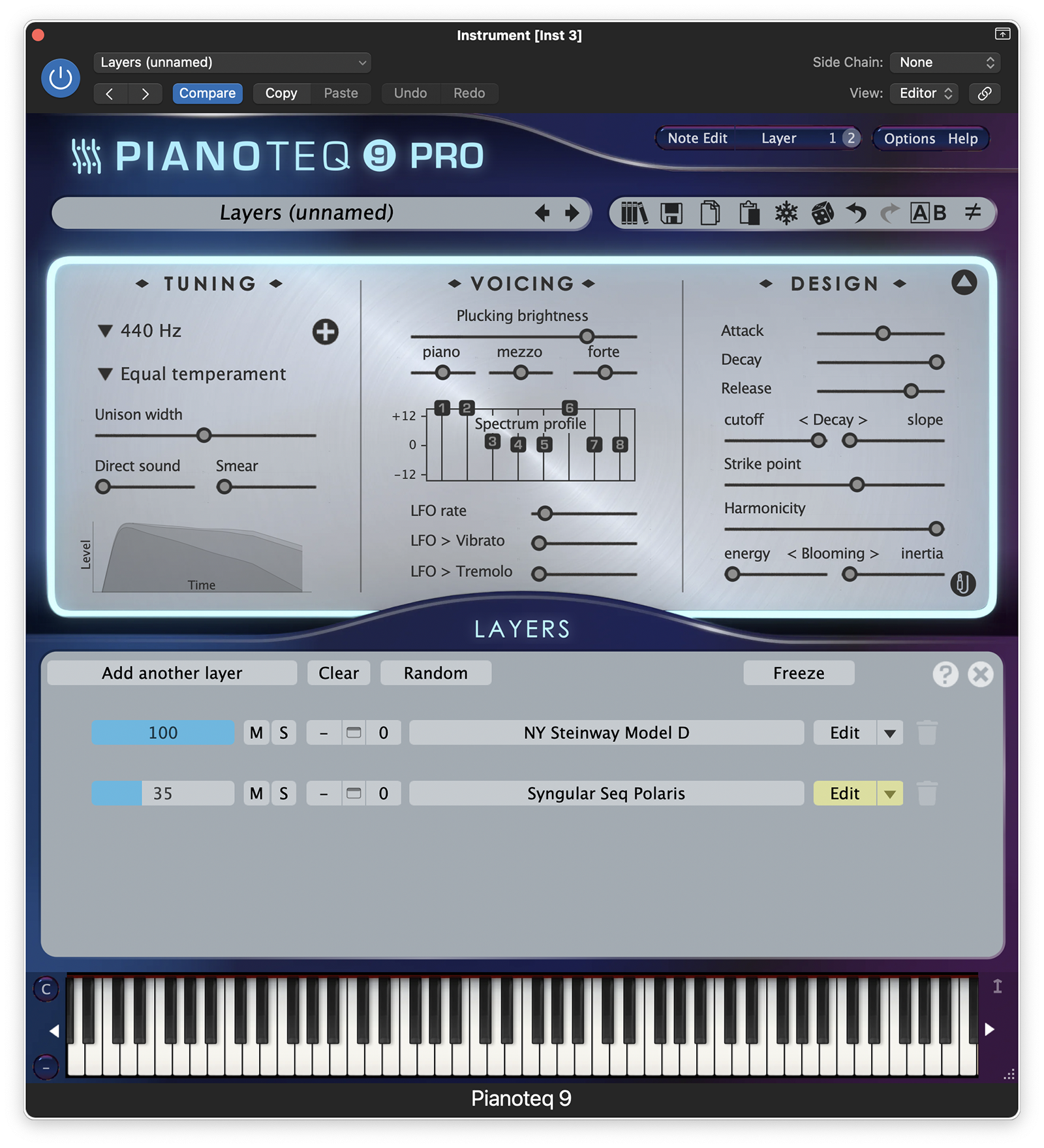
It's easy to create layers within the very streamlined interface.
We have a real Yamaha CP-70 in our studio, so we compared it with Pianoteq’s virtual version. We were going for an ‘80s vibe, so we were able to put some “Vintage Chorus” on the preset from the effects section (back then, a Roland Chorus CE-2 pedal was a big part of the sound). We were pleasantly surprised, as it sounded quite good! From what we understand, the CP-80 engine was specifically upgraded, and it sounds significantly better than the previous iteration we had used. Not that older Pianoteq was bad—it wasn’t, but Pianoteq 9 is definitely better and something we would feel comfortable to use on any professional recording session or live performance.
Given the upgraded engines, additional presets and features, sonically speaking, Pianoteq is all good news. BUT… if there was a potential downside for some, it could be the price point to get everything. As mentioned before, there are several versions of Pianoteq 9 available, and, as they say, you get what you pay for. These versions are the Stage, Standard, Pro, and Studio Bundle, with an MRSP of $139, $269, $399, and $929 respectively. Each version gives you greater editing capabilities than the one before it, and includes 2, 3, or 4 instrument packs; the Studio Bundle includes all instrument packs.
We stand by our previous review: while there might be piano software out there that sounds stellar for a single piano sound at a lower price point, few programs have the same level of control over fine details of sound like Pianoteq, so if you want to create a customized piano sound that is subtly unique, Pianoteq should provide the most detailed sounding tweaks. And if you’re a laptop-bound musician, there is a huge performance advantage over any product loading huge samples, as well as the tiny storage footprint. Players with simpler editing needs should be fine with the Stage version, and unless you need all instruments, the Standard or Pro versions should cover most players’ needs. Bravo to Pianoteq!
Modartt
www.modartt.com